Primary page for this search intent
Looking for a tool to translate live calls to real phone numbers? Go to Phone Call Translator.
Table of contents
New to AI translation? Learn what an AI translator is — definition, types, and how phone call translators fit in.
Looking for a full comparison? For the complete breakdown of all dedicated phone call translator apps — including EzDubs alternatives, Lingvanex, and Telelingo — see our full guide: Best dedicated phone call translator apps.
Quick answer: AI Call is a real-time phone call translator that supports 100+ languages, outgoing and incoming calls, video calls, translated messaging, and AI-assisted calling. Unlike Google Translate, the other person does not need to install an app — they receive a normal phone call and hear their own language in real time.
Top picks at a glance
- Best overall: AI Call — real mobile, landline, and VoIP numbers; 100+ languages; no app on the other side for regular calls
- Best free tier to try: AI Call — free download with free minutes on iOS and Android
- Best for in-person only: Google Translate Conversation mode — not for live phone calls
For the full product guide, see phone call translator. For all dedicated apps side-by-side, see best dedicated phone call translator apps.
What makes a phone call translator app different?
Not all translation apps are designed for phone calls. Most translation tools — including Google Translate — are built for text, camera, or face-to-face conversation. A real phone call translator app has to solve a harder problem: translating two speakers in real time over a phone connection, where audio quality varies and latency must stay under half a second to feel natural.
The key features to look for:
- Real-time translation — The app should translate as you speak, not after you finish a sentence
- No setup required on the other end — The person you call should receive a normal phone call
- High language coverage — At least 50+ languages for most use cases, 100+ for international use
- Low latency — Translation delay under 1 second is critical for natural conversation
Top phone call translator apps in 2026
Here is a quick side-by-side of the main free phone call translator options before the details:
| App | Real phone calls | Video calls | Languages | Other person needs app |
|---|---|---|---|---|
| AI Call | Yes | Yes | 100+ | No |
| Google Translate | No | No | 130+ | Yes |
| Microsoft Translator | No | Limited | 70+ | Yes |
| iTranslate Converse | No | No | 40+ | Yes |
| iOS 26 Live Translation | Yes (supported iPhones; requires AirPods/EarPods or speaker — not standard ear-to-phone mode) | FaceTime captions | Limited set | No |
| EzDubs | Discontinued Dec 2025 (acquired by Cisco) | N/A | N/A | N/A |
2026 note: native call translation now ships inside some iPhones (iOS 26 — note: requires AirPods/EarPods or speaker mode, does not work ear-to-phone) and on Samsung Galaxy — great when you happen to be on the right hardware and audio setup. EzDubs shut down December 2025 after Cisco acquisition. Dedicated apps like AI Call and SpeakLink work on any phone, with any audio setup.
1. AI Call — Best overall
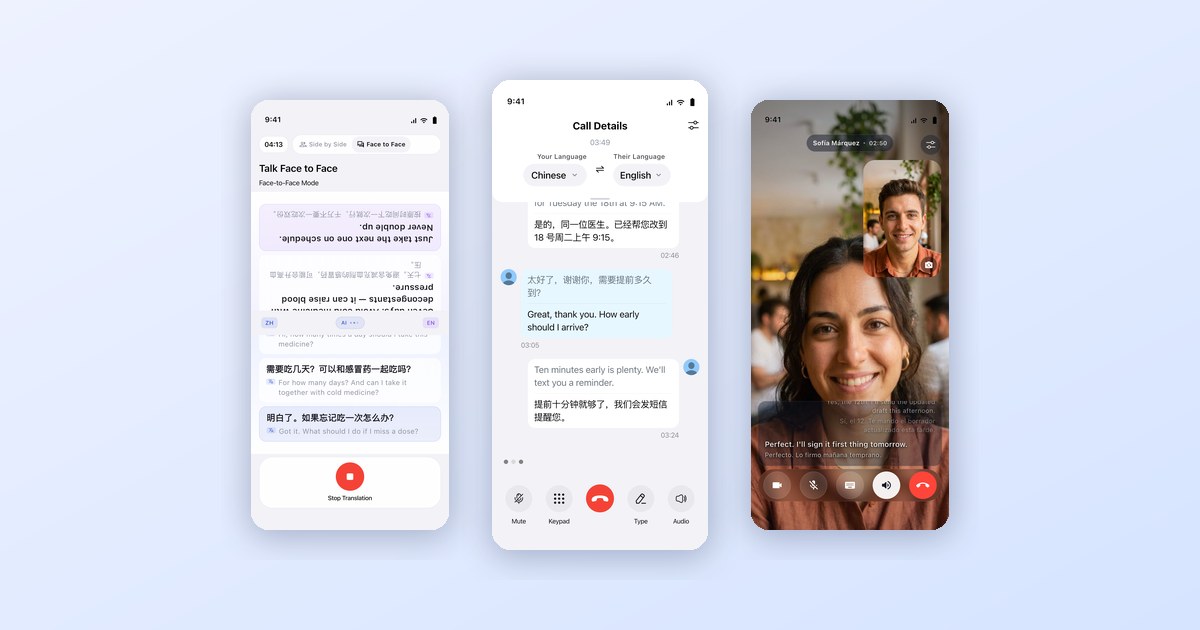
AI Call is the most complete AI communication app in 2026. It covers every channel: outbound phone calls to any number, face-to-face translation, HD voice and video calls between users with live subtitles, two-way translated messaging via AI SMS, and an autonomous AI agent that makes calls on your behalf. All of it is free to download.
What makes it stand out:
- The other person needs no app for phone calls — they receive a normal call in their language
- Translates both sides in real time with under 0.5-second latency
- Face-to-face mode for in-person conversations without typing
- Voice & video calls with live translated subtitles for both sides
- AI SMS: get a real phone number; every message auto-translated
- AI Agent: describe a goal, the AI places the call and handles it
- Supports 100+ languages
- Free to download with free minutes included — iOS and Android
Best for: Anyone who needs to communicate across languages, whether by phone, video, message, or in person.
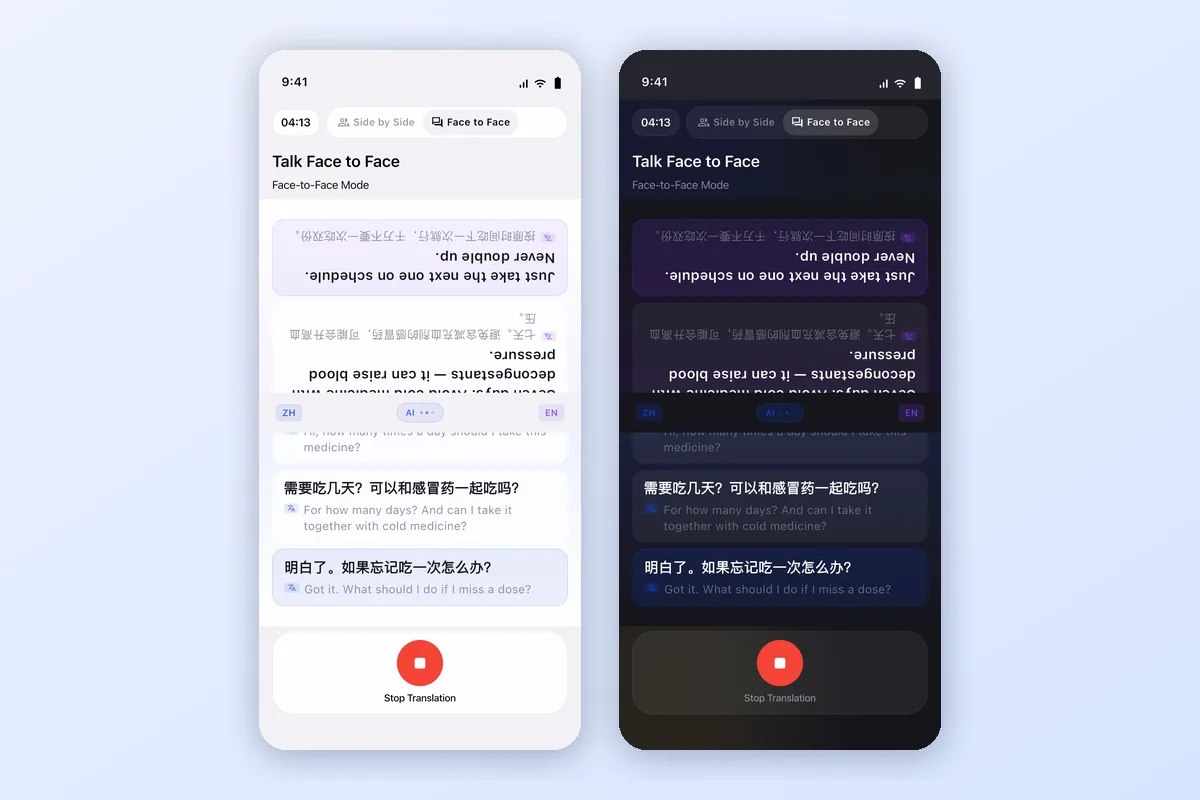
Face-to-Face mode flips the top half of the screen so the other person can read their language while you both talk.
| Feature | AI Call |
|---|---|
| Outbound phone calls (any number) | Yes |
| Face-to-face translation | Yes |
| Voice & video with live subtitles | Yes |
| Translated messaging (AI SMS) | Yes |
| AI Agent mode | Yes |
| Other person needs app | No |
| Languages | 100+ |
| Latency | <0.5 sec |
| Free | Yes |
| Platforms | iOS, Android |
Watch AI Call place a real phone call and translate both sides of the conversation live.
2. Google Translate (Conversation mode)
Google Translate includes a Conversation mode that can translate back-and-forth speech between two people. However, it requires both people to be present at the same device or both actively using the app — it does not work for standard outgoing phone calls.
Best for: In-person conversations with someone standing next to you.
3. iTranslate Converse
iTranslate Converse is a voice translation app with a push-to-talk interface. Like Google Translate Conversation mode, it requires both speakers to use the same app and is better suited for in-person use than live phone calls.
Best for: Face-to-face conversations when both parties can share a device.
4. Microsoft Translator
Microsoft Translator supports real-time group conversation translation via a shared session. Multiple people can join a conversation from their own devices. It works well for meetings where everyone has a smartphone, but does not translate standard outgoing phone calls to numbers.
Best for: Multilingual team meetings where everyone can join the same digital session.
How AI Call Translates Phone Calls
Translating a live phone call with AI Call takes just a few taps. Here is how to translate phone calls step by step:
- Open AI Call on your iPhone or Android phone
- Select your language
- Select the other person's language
- Dial any phone number — mobile, landline, or VoIP
- Speak naturally while AI translates both sides of the call in real time
The person you call answers a normal phone call and hears your words in their own language — no app, link, or setup required on their end.
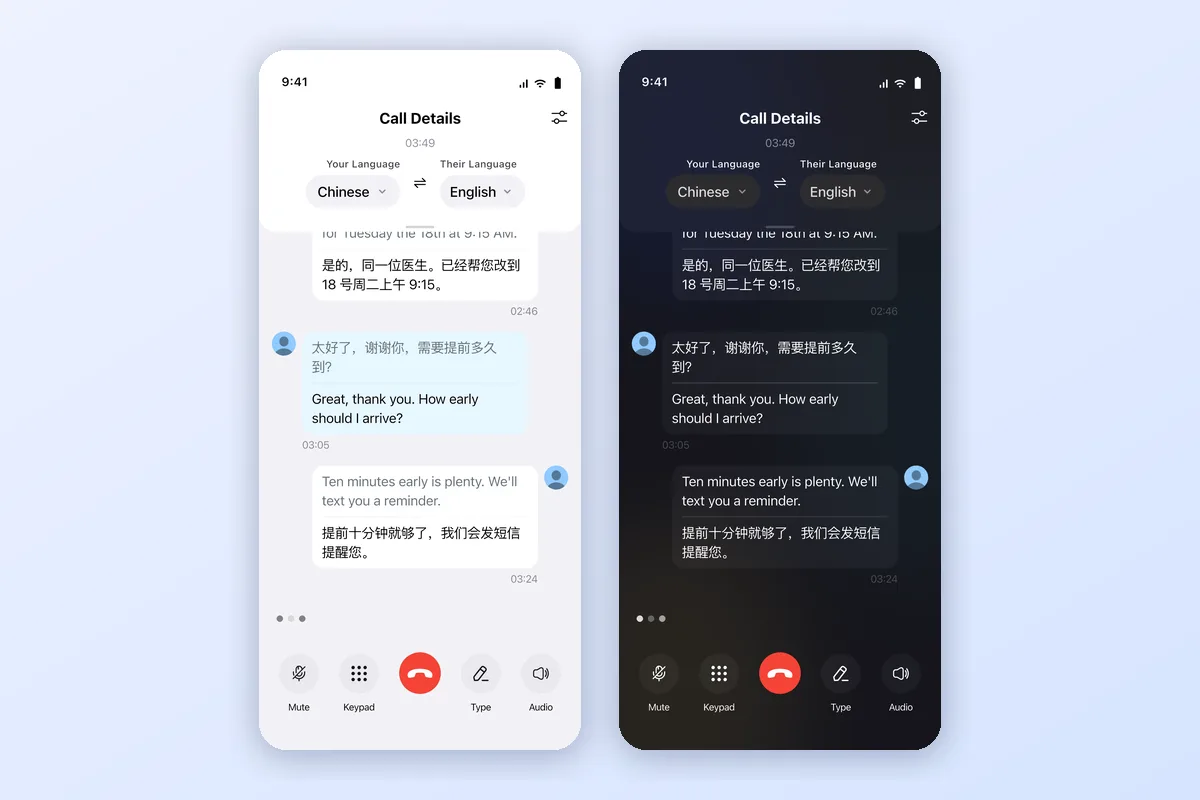
A real translated call in AI Call: both sides of the conversation appear in Chinese and English as you speak, with mute, keypad, and type-to-talk controls.
The same real-time translation works on voice and video calls between AI Call users, with live subtitles for both sides.
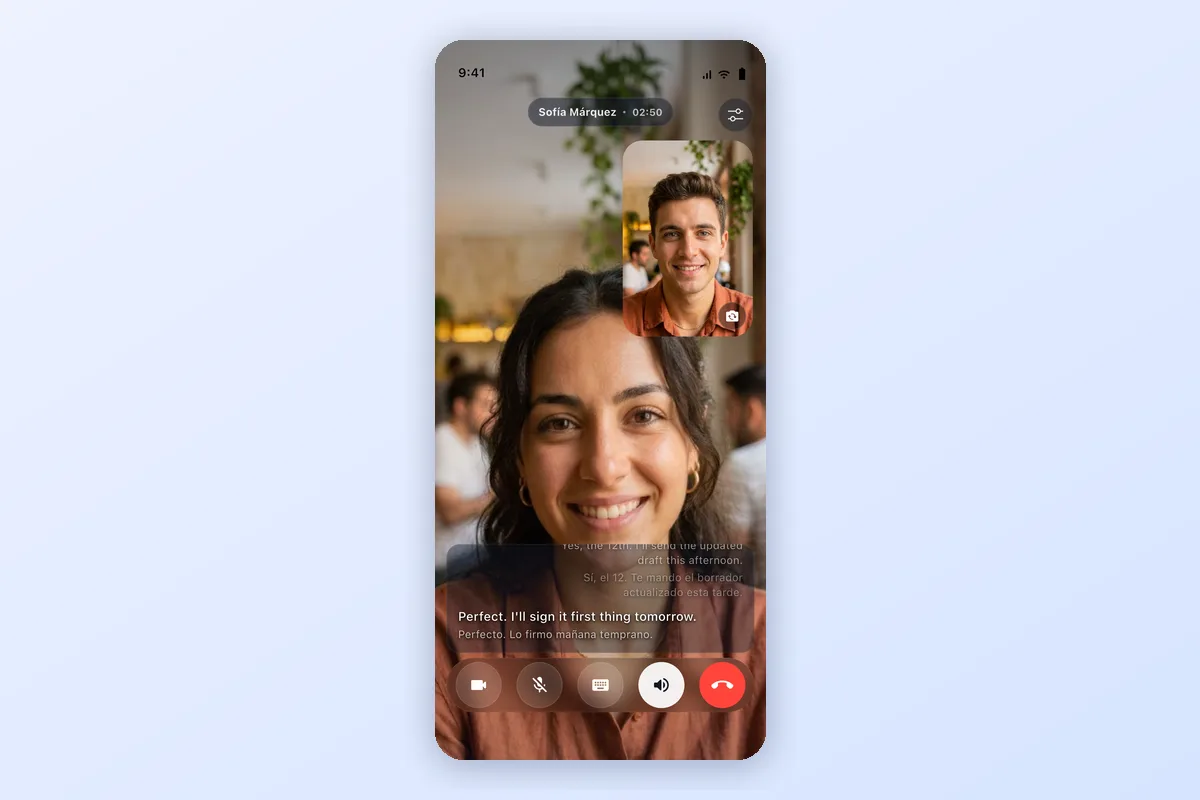
Video calls get the same treatment: live subtitles for both speakers, translated in real time.
AI Call vs Google Translate, DeepL, and ChatGPT Voice
The quick-compare table near the top covers free phone call translator apps. This deeper comparison looks at how AI Call stacks up against the general translation tools people most often try for calls:
| Feature | AI Call | Google Translate | DeepL | ChatGPT Voice |
|---|---|---|---|---|
| Real phone calls | Yes | No | No | No |
| Dials real phone numbers | Yes | No | No | No |
| Live two-way translation | Yes | Limited | Limited | Limited |
| Incoming call support | Yes | No | No | No |
| Video calls | Yes | No | No | Limited |
Google Translate, DeepL, and ChatGPT Voice are strong general translation tools, but none of them connect to the phone network or dial a real number. AI Call is built specifically for live calls.
Why Google Translate Cannot Translate Real Phone Calls
Google Translate is excellent for text, signs, and in-person conversation, but it is not a phone call translator. Here is why it cannot translate a real phone call:
- It is not connected to the phone network, so it cannot place or receive calls
- It cannot dial real mobile, landline, or VoIP numbers
- Both people usually need the same app or device for Conversation mode
- It has no incoming-call support for foreign-language callers
If you specifically need to translate a live phone call to a real number, a dedicated phone call translator like AI Call is the right tool — while Google Translate remains a great choice for text and face-to-face translation.
Common situations where a phone call translator helps
People use live call translation for everyday calls where the other person speaks another language. A few common situations:
- Calling a doctor — book an appointment or describe symptoms (English ↔ Spanish)
- Calling a hotel — confirm a reservation or request late check-out (English ↔ Japanese)
- Calling a landlord — discuss a lease or report a repair (English ↔ Chinese)
- Calling customer service — resolve a billing or order issue (English ↔ Korean)
- Calling a supplier — negotiate pricing or check an order (English ↔ Vietnamese)
You can also share a Call Link so anyone can join a translated voice or video call straight from a browser.
The verdict
If you need to make or receive a real phone call with someone who speaks a different language — and you want the other person to just pick up their phone normally — AI Call is one of the few dedicated apps that works the way a phone should.
The other tools in this comparison (Google Translate, Microsoft Translator, iTranslate) are excellent for their intended use cases — in-person conversation, meetings, text translation — but they require the other person to participate digitally. For a regular phone number dial, dedicated options like AI Call and SpeakLink exist (note: EzDubs was discontinued in December 2025); AI Call is the more complete choice with 100+ languages, video calls, Call Links, and a free tier.
How to get started with AI Call
- Download AI Call free on the App Store or Google Play
- Open the app and select the language the other person speaks
- Dial their phone number
- Speak naturally — AI Call handles the rest
Related guides
- Phone call translator — the full product page for live call translation
- AI translator — overview of AI translation for calls and conversations
- Live video call translator — translate voice and video calls with subtitles
- AI call assistant — summaries and AI-handled calls
Frequently asked questions
Is there a completely free phone call translator app?
Yes. AI Call is free to download on iOS and Android. You can make real-time translated phone calls without creating an account. Advanced features are available via an optional subscription.
What is the best app for translating phone calls in real time?
AI Call is designed specifically for real-time phone call translation. It translates both sides of a live call in under 0.5 seconds across 100+ languages, and the other person does not need to install any app.
Does Google Translate work for live phone calls?
Google Translate has a Conversation mode for face-to-face use, but it is not designed for live phone calls. The other person needs to use the same app, and it does not work with regular outgoing phone calls.
Can I translate incoming phone calls?
Yes. AI Call supports both outgoing and incoming calls. For incoming calls you can route the call through AI Call so you hear translated audio from a foreign-language caller in real time.
Does the other person need to install the app?
No. For regular phone calls the other person does not need to install anything — they receive a normal phone call and hear a translated voice in their own language.
Can iPhone translate phone calls automatically?
It depends on your iPhone and your audio setup. iOS 26 added native Live Translation directly inside the Phone app on supported iPhones — but it requires AirPods/EarPods or speaker mode. It does not work in standard ear-to-phone mode. The limits: recent hardware running iOS 26, earphones or speaker required, and a narrower language set than a dedicated app. For any phone (including Android), any number, 100+ languages, and normal calling without earphones, AI Call works across the board.

Try AI Call for free
Call anyone in any language. Free minutes included.